Cards & Payments
How to Pay for Netflix Without a Credit Card
You don’t need a credit card to keep Netflix running. Maybe your debit card got declined at checkout. Maybe you’ve simply never owned a credit card. Either way, you’re probably looking for how to pay for Netflix without a credit card, and it’s easier than it sounds. The answer is a virtual card. Below is why Netflix declines so many cards in the first place. You’ll also find other payment methods people try, plus the exact steps to pay with a virtual card from your phone.
Why so many people look for how to pay for Netflix without a credit card
Credit card ownership is far from universal outside a handful of wealthy markets. Indonesia is a good example. Industry data puts the number of credit cards in circulation at around 17-18 million there, against an adult population of more than 180 million. That gap isn’t about people being careless with money. Bank requirements shut a lot of applicants out automatically — proof of steady income, a tax ID, minimum salary thresholds. Netflix, like most streaming services, was built to bill a card automatically every month, not to accept manual transfers. So if you don’t have a credit card, or yours keeps getting rejected, you need something that still looks like a card to Netflix’s system. It just doesn’t have to come from an actual credit card application.
Why Netflix declines your card
Local debit cards aren’t always switched on for recurring international billing by default. Banks routinely block cross-border charges as a security measure, whether or not you asked for it. So a decline often has nothing to do with your balance — it’s your own bank’s system holding the line. A charge billed in US dollars can also get rejected by a card that’s only set up for your home currency. Mismatched billing details add another failure point: name, address, or postal code that doesn’t quite match can trip Netflix’s own fraud checks, or your bank’s. A virtual card is built specifically for this kind of online billing. It sidesteps most of these problems by design.
Payment methods people try before a virtual card
Before virtual cards became common, people tried several workarounds. Carrier billing through a mobile network is one option in some countries, letting Netflix charges show up on a phone bill instead of a card. It only works with specific carriers, though, and deals like this have a habit of quietly ending without much notice. Local e-wallets are another common attempt, but most only support one-time payments rather than automatic monthly billing. That means manually paying every month, forgetting occasionally, and eventually losing access when the account gets suspended. Prepaid gift cards and vouchers sold through marketplaces have also circulated over the years. Many got discontinued once Netflix tightened its rules on third-party payment methods. A virtual card holds up better than all of these. It behaves exactly like a normal debit or credit card from Netflix’s point of view, so it can be saved as a standing payment method and billed automatically every month, with no manual re-payment required.
How to pay for Netflix without a credit card using a virtual card
Keep a small buffer above your plan price in case of currency conversion on the billing date.
How much does Netflix cost
Netflix pricing varies by plan and country. In the US, the Standard with Ads plan runs around $7.99 a month. Standard is around $17.99, and Premium is around $24.99, all billed automatically to whatever payment method is saved. Prices shift over time and by region, so always check the current rate in the Netflix app before you subscribe. If you’re paying with a virtual card funded in a different currency, the conversion is usually handled automatically by the wallet app. There’s no manual math involved each month.
Pay for more than just Netflix
The same virtual card usually works for Spotify, ChatGPT Plus, Disney+, YouTube Premium, and other international subscriptions that give foreign cardholders trouble. Juggling more than one subscription billed from abroad? One virtual card is typically enough to cover all of them. See the full guide to paying for international subscriptions for a longer list.
Frequently asked questions
Pay for Netflix without a credit card using Zorion
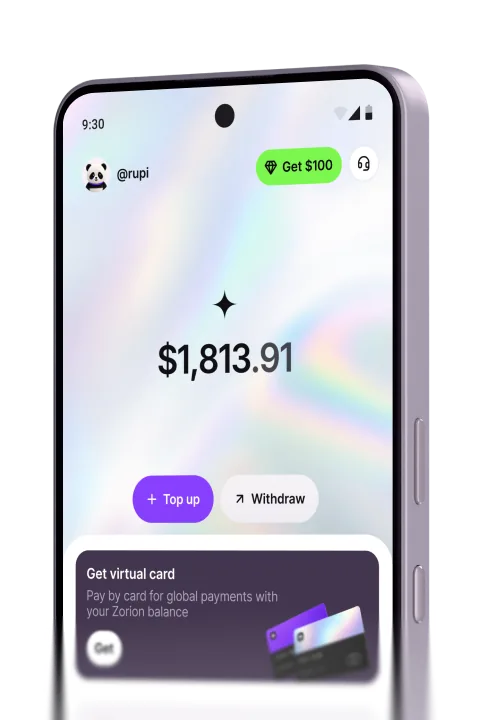
Zorion gives you a free virtual card you can use right away for how to pay for Netflix without a credit card. There’s no bank application to file. There’s no dependence on carrier billing or e-wallets that might stop working without warning either. Top up with USDT or cash, add the card to Netflix once, and the monthly charge runs automatically from there on. Anyone can sign up for Zorion and create their own virtual card today.
Keep reading
Zorion vs Kast: Is a $1,000+/Year Crypto Card Membership Worth It?
Your balance sits in USD, ready to spend on a virtual card the next time a subscription or an online
Zorion vs Oobit: Do You Need Your Own Crypto Wallet First?
You want to spend it on Netflix or ChatGPT. You search zorion vs oobit because both names keep showing up together. Before
Zorion vs RedotPay: Free Virtual Card or Pay $10-$100 First?
You just cashed out your winnings from a trading platform, converted to USDT, and now you’re looking for a way to spend that balance on international services —…