Cards & Payments
Zorion vs Oobit: Do You Need Your Own Crypto Wallet First?
Say you just got your first USDT, cashed out from a trading platform. You want to spend it on Netflix or ChatGPT. You search zorion vs oobit because both names keep showing up together. Before signing up for either, there’s one thing worth knowing upfront: they’re not built for the same starting point.
What Oobit actually is and how it works
Oobit is a global payments app. You pay with crypto anywhere Visa is accepted. Its model works differently from a typical wallet: by default, Oobit doesn’t hold your crypto itself. It connects directly to a wallet you already have — MetaMask, Trust Wallet, Phantom — or to an exchange account. You stay in control of your funds until the moment you pay. If you don’t already have a wallet, Oobit also lets you create a built-in one during setup. It supports roughly 20 assets, including USDC, USDT, BTC, ETH, SOL, XRP, and TRX.
This is often called a bring-your-own-wallet, or BYOW, model. It fits someone who’s already been holding crypto for a while and just wants an easier way to spend the balance they already have.
Zorion vs Oobit: the real difference is the starting point
This is the core of the zorion vs oobit comparison. Oobit assumes you already own a crypto wallet — MetaMask, Trust Wallet, or an active exchange account. For an experienced crypto trader, that’s a non-issue. But someone who just received their first USDT from cashing out on a trading platform is in a different spot. They’ve never set up a wallet or handled a seed phrase, so that step becomes a hurdle before they can spend anything at all.
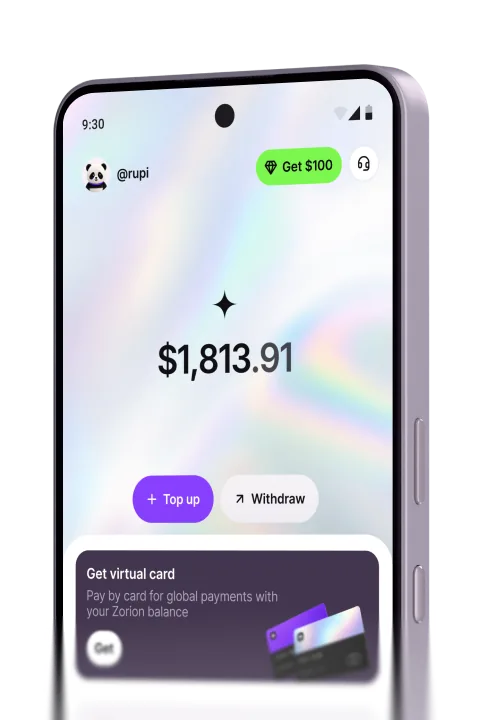
Zorion works the other way around. Your USD/USDT balance sits inside the app the moment you sign up. It’s ready to spend right away through a virtual card on international services. There’s no separate wallet app to install first. No seed phrase to understand, and no need to move assets between platforms before your first transaction. That’s the real difference in any zorion vs oobit comparison: one expects you to already be ”crypto-ready,” the other is meant to be the entry point itself.
Fees and limits: zorion vs oobit by the numbers
Oobit charges 1% per card transaction, with a $0.25 minimum. Bank transfers also cost 1%, minimum $4.99. Its own fee page notes that ”a small international transaction fee may apply,” without stating an amount. Worth flagging: those numbers don’t fully square with the ”zero fees” tagline on Oobit’s own homepage. So their fee page and homepage don’t fully agree with each other. KYC on Oobit typically takes minutes to 24 hours. Daily spending is capped at up to $10,000.
If what you want is one clear fee number that holds up across every page of a site, rather than two different figures depending on where you land, that’s worth checking before you sign up for anything.
Oobit’s genuine strengths, stated plainly
Model differences aside, Oobit has real strengths. Its NFC tap-to-pay genuinely works like Apple Pay. Tap your phone at any terminal that takes Visa, and the transaction goes through. Because it’s non-custodial by default, you don’t need to pre-fund a balance inside the app before spending. Your funds stay in your own wallet until the payment moment. Asset support is broad, and KYC is fast. The company has also shown real momentum in Southeast Asia: in October 2025, Oobit officially launched USDT payments in Thailand. It’s usable at 7-Eleven, Big C, Tesco Lotus, Shopee, Lazada, and anywhere Visa is accepted.
Oobit in Indonesia: still unconfirmed
Oobit’s own FAQ lists roughly 24 blocked countries, including Iran, North Korea, Russia, Syria, and Afghanistan. That implies the app is broadly available elsewhere by default. But there’s no official Oobit page that specifically confirms Indonesia. The only confirmed official rollout so far is Thailand. So if you’re in Indonesia wondering whether Oobit works here, the honest answer is: unclear. There’s no primary source settling it either way.
Which app actually fits which scenario
If you’ve been holding crypto in MetaMask or Trust Wallet for a while and just want to tap and pay at any Visa terminal, Oobit is genuinely built for that. But say you just got your first USDT after cashing out your winnings from a trading platform, and you’ve never set up a crypto wallet. In that case, the balance and virtual card in Zorion become the entry point itself, with no separate wallet app to configure first.
The same goes if your goal isn’t just spending but cashing trading winnings straight to an Indonesian bank account. That’s not Oobit’s focus. At Zorion, it’s one of the core things the app is built around, through its bank payout partner. And if you just want one clear fee number stated upfront, instead of two different numbers on two different pages, that’s another reason to weigh an option besides Oobit.
Frequently asked questions
If you don’t have a wallet yet, Zorion is the starting point
The zorion vs oobit question really comes down to where you’re starting from. If you’ve held crypto for a while already, Oobit has a real edge in tap-to-pay convenience. But if you just received your first USDT and have never set up a crypto wallet, the picture changes. Zorion gives you a balance and a virtual card in one app, without an extra setup step in the way. You can spend on international services right away, and cash out the rest to your bank whenever you want.
Keep reading
Zorion vs Kast: Is a $1,000+/Year Crypto Card Membership Worth It?
Your balance sits in USD, ready to spend on a virtual card the next time a subscription or an online
Zorion vs RedotPay: Free Virtual Card or Pay $10-$100 First?
You just cashed out your winnings from a trading platform, converted to USDT, and now you’re looking for a way to spend that balance on international services —…
Zorion vs SpectroCoin: A Euro Card for Dollar Bills?
Now you want to pay for ChatGPT Plus, billed at $20. You start looking for a card that can be funded straight from