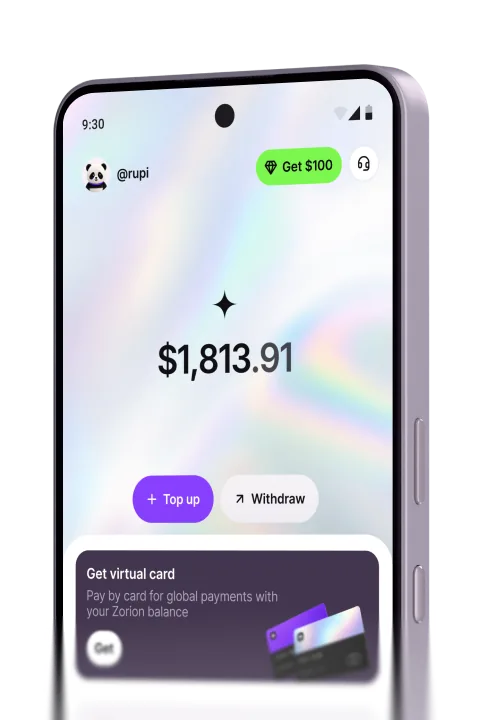
Cards & Payments
How to Pay for a Visa Online and Book Flights
Trading profits just landed. A flight is picked, a visa appointment is confirmed, and then the card gets declined at checkout. This happens constantly to people applying for a visa to another country, or booking directly on an airline’s own site. Below is how to pay for a visa online in a way that actually works, plus how to get a flight paid for without watching a card bounce three times in a row.
Why local cards get rejected for visas and flights
Government visa portals and airline sites usually bill in a foreign currency — US dollars, Australian dollars, euros. That charge routes through a payment processor based overseas. Banks routinely block this kind of charge by default. This is especially true for an ordinary debit card that was never enabled for cross-border online payments. The transaction fails even though there’s clearly enough money behind it.
What visa fees actually cost
To put numbers on it: a US B1/B2 visa runs around $185, roughly 3 million rupiah. An Australian subclass 600 visitor visa costs around AUD 190. A Chinese visa is typically $60-140 depending on entry type, and a standard Japanese visitor visa runs somewhere around $25-30. Every one of these portals bills in the destination country’s currency, not the applicant’s home currency. That’s exactly why an ordinary debit card gets declined on the very last screen, right after the whole application form has already been filled out.
Airline sites use foreign processors too
It isn’t only visa portals. Airline websites like Japan Airlines, Qatar Airways, or Emirates work the same way. Several international booking sites do too, routing payments through overseas gateways that require full 3D-Secure verification. A debit card that was never set up for cross-border transactions will fail at that step. This happens even with a valid card number and plenty of balance.
How to pay for a visa online, step by step
Here’s the sequence for paying a visa fee with a virtual card:
For visa fees, only ever pay through the official government portal. Virtual card or not, that rule stands. A lot of visa scams start with an ”agent” asking for a transfer before doing anything.
Paying for flights with a virtual card
The process for flights is similar to paying a visa fee. Once a flight is selected on an airline site or booking platform, load the virtual card with the ticket price plus a buffer. Then enter the details at checkout like any other card. One difference from visa payments: ticket sites often place a small hold to verify the card before processing the final charge. So it’s worth loading a bit more than the exact fare. If the first attempt fails, check whether the billing country shown in the card’s app actually matches the country the site expects. That mismatch is the most common reason a card gets declined twice in a row.
Just cashed out trading profits and flying tomorrow?
This situation comes up more often than people expect. Trading profits just landed, and a ticket plus a cleared visa are needed within a day or two. Applying for a bank debit card takes 3-5 business days to print and ship — nowhere near fast enough for that kind of deadline. A virtual card solves it because it activates the moment funds land, with no physical card to wait for. The one thing worth getting right is loading the balance before opening the payment page. Some visa portals run on a timed session. Spend too long entering card details and the session can expire, forcing a restart from scratch.
Mistakes that cause visa or flight payments to fail
The most common mistake is skipping the currency buffer. Someone loads the card with exactly the visa fee, then watches the charge fail because the exchange rate shifted slightly between checking the price and the transaction actually processing. Another mistake is leaving the card app’s billing country unmatched to what the portal expects, even though some sites check this automatically. Plenty of travelers also forget to screenshot the payment confirmation. That confirmation is often requested again at the visa interview or if a dispute comes up later.
The costliest mistake has nothing to do with the amount, and everything to do with where the money goes. Paying through a ”fast visa agent” link found on social media, instead of the official government site, is a well-known scam pattern. It ends with money gone and no visa issued. And the one people regret most: only figuring out how to pay for a visa online once the embassy appointment slot is nearly closed, instead of sorting it out days ahead.
What to check before you pay
Before entering card details on any portal, check the site address carefully. Look-alike domains are often off by just a letter or two, and that’s exactly what fake visa sites rely on. If there’s any doubt about whether a portal or agent can be trusted, search its name alongside ”scam” or ”review” and see what other applicants have run into. When using a virtual card and unsure which currency will actually be charged, ask the card provider through chat before paying. A clear answer with real numbers is a good sign of a provider worth using.
Frequently asked questions
Pay for visas and flights with Zorion
Trading profits just landed, and a ticket plus a cleared visa are needed by tomorrow — that’s exactly the moment Zorion is built for. It issues a virtual card that activates immediately, with no physical card to wait for, and it works on official visa portals and the international airline sites that usually reject local debit cards. Anyone can sign up in minutes.
Keep reading
Zorion vs Kast: Is a $1,000+/Year Crypto Card Membership Worth It?
Your balance sits in USD, ready to spend on a virtual card the next time a subscription or an online
Zorion vs Oobit: Do You Need Your Own Crypto Wallet First?
You want to spend it on Netflix or ChatGPT. You search zorion vs oobit because both names keep showing up together. Before
Zorion vs RedotPay: Free Virtual Card or Pay $10-$100 First?
You just cashed out your winnings from a trading platform, converted to USDT, and now you’re looking for a way to spend that balance on international services —…