Cards & Payments
How to Top Up Steam Wallet When Your Card Keeps Getting Declined
Sale’s about to end. The game you want is 75% off, and Steam just rejected your card for the second time. This is how to top up Steam wallet balance in a few minutes, even when your regular card won’t clear. Here’s why Steam blocks it in the first place, and what actually works instead.
Ways to add funds to your Steam wallet
Steam gives you a few ways to get money into your wallet. Each one behaves differently once your card is on the line. Paying with a card straight on Steam’s own payment page is usually fastest. If the card is accepted, the balance lands instantly and there’s no middleman involved. Steam Wallet codes are prepaid vouchers you buy elsewhere and redeem inside your account. They’re handy as gifts, and they sidestep card checks entirely. But you still have to buy the code from somewhere, and that somewhere matters more than most people realize. A virtual card sits between the two. It’s still a card payment on Steam’s own checkout, so the money arrives instantly. But it’s built specifically for online spending — exactly the kind of transaction that trips up ordinary bank cards.
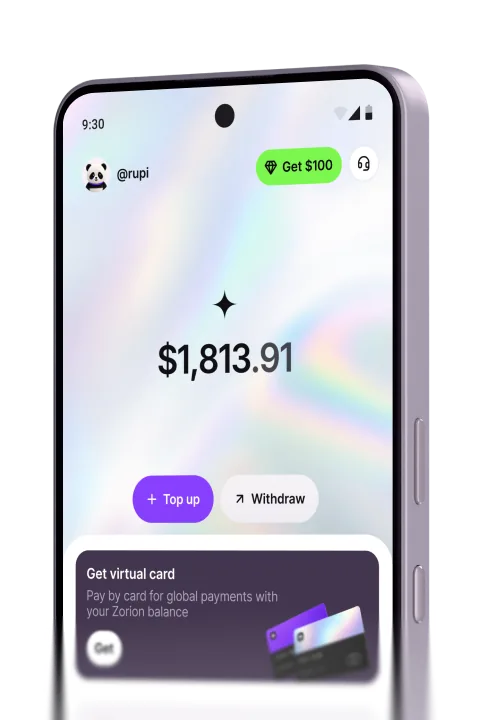
How to top up Steam wallet with a virtual card
Why Steam declines your card in the first place
Most declines have nothing to do with your balance. Banks flag international online purchases, especially gaming ones, as higher risk. Some local debit cards are blocked by default for cross-border charges. You have to call the bank and ask for it to be lifted. That process can take anywhere from a few minutes to a full business day. A mismatch between your Steam account’s region and the card issuer’s country causes the same problem. If the payment method’s country or currency doesn’t match your Steam store, the transaction gets flagged immediately. It never reaches your bank for a real decision. Once you understand why the decline happens, how to top up Steam wallet successfully gets simple. It comes down to using a payment method built for cross-border checkout in the first place. Retrying the same declined card five times won’t change the outcome.
Buying during a flash sale: why speed matters
Steam’s biggest discounts don’t last. A bundle that’s normally priced around $50 can drop to $12-15 during a 48-hour flash sale. Once the timer runs out, the price goes back to full. That’s a bad moment to discover your card doesn’t work. Topping up through a bank transfer usually takes anywhere from a few minutes to a full business day to clear. That delay can easily eat the entire discount window. A virtual card avoids that wait entirely. You fund it and spend it on Steam within minutes. You’re not gambling the sale price on how fast your bank processes a transfer.
Voucher resellers vs. a card that works on Steam directly
Search Facebook groups or online marketplaces for ”Steam Wallet code.” You’ll find plenty of sellers offering codes below face value. At least that’s how they’re advertised. In practice, a $10 code often sells for $12-13. That’s a markup of 20-30% once you factor in the payment fee resellers tack on. Delivery isn’t instant either. Some sellers take hours to send the code after payment. If the code is invalid or already redeemed, getting a refund from an anonymous seller is close to impossible. Paying directly on Steam’s own payment page with a card that Steam accepts skips all of that. There’s no reseller markup, and no waiting for someone to send a code. There’s also no risk of buying something someone else has already spent.
Common mistakes people make topping up Steam
The most common mistake is buying a Steam Wallet code from a reseller without checking reviews first. Later, the buyer finds out the code was already used. A close second is assuming a declined card means insufficient funds. Almost always, it’s a cross-border or region block that has nothing to do with your balance. People also forget that Steam bills in its store’s currency. They load a virtual card with exactly the price shown, then come up short once conversion fees apply. A small buffer avoids that entirely. The short version of how to top up Steam wallet without losing money: use a card made for online spending. Check the price in your own currency before confirming, and steer clear of sellers you can’t verify.
Frequently asked questions
Top up Steam wallet with Zorion
Your local card keeps getting declined on Steam. Or you’re tired of paying a markup to a reseller you can’t verify. Either way, Zorion’s virtual card is built for exactly this. It works on Steam’s own payment page and other game stores worldwide. Fees stay low and clear upfront, and security verification is active from the moment you sign up. Anyone can create an account and fund a card in minutes. There’s no waiting for a bank to lift a block, and no reseller to chase down if something goes wrong.
Keep reading
Zorion vs Kast: Is a $1,000+/Year Crypto Card Membership Worth It?
Your balance sits in USD, ready to spend on a virtual card the next time a subscription or an online
Zorion vs Oobit: Do You Need Your Own Crypto Wallet First?
You want to spend it on Netflix or ChatGPT. You search zorion vs oobit because both names keep showing up together. Before
Zorion vs RedotPay: Free Virtual Card or Pay $10-$100 First?
You just cashed out your winnings from a trading platform, converted to USDT, and now you’re looking for a way to spend that balance on international services —…