Cards & Payments
How to Top Up PayPal Balance
You need money sitting in PayPal to pay an overseas supplier, buy something from a foreign site, or send a fee to a client. But the moment you try to top up PayPal, your usual payment method won’t link, or a card gets rejected for no obvious reason. In parts of Southeast Asia this is even more common, since local e-wallets like GoPay, OVO, or DANA never show up as an option at all.
That’s because PayPal only connects to bank accounts and Visa/Mastercard-network cards, never to local e-wallets directly. The good news is there are still a few ways to top up PayPal that reliably work. This includes someone who just cashed out trading winnings and wants to spend part of it on a PayPal-only checkout. Here’s how each option to top up PayPal actually plays out, from slowest to fastest.
3 ways to top up PayPal
A bank transfer is the most basic route. You link your bank account, verify it, and pull funds in as PayPal balance. Initial verification usually takes 3-5 business days. After that, each transfer can take another 1-2 days before the money shows up. There’s no extra fee from PayPal for this method, but it does mean waiting.
A debit or credit card is much faster once it’s linked — balance lands almost instantly. The catch is that plenty of cards get rejected during linking, usually because the issuing bank hasn’t switched on international or online transactions for that card. You only discover this after a couple of failed attempts, often while your billing details are correct but the card still won’t go through.
A virtual card sidesteps both problems. It’s built specifically for online payments, so PayPal accepts it without the international-activation issue that trips up regular debit cards. You fund the virtual card from balance you already have — cashed-out trading profits, converted USDT, or a regular bank transfer. Then link that card to PayPal. This is usually the fastest way to top up PayPal, taking a few minutes from start to finish rather than days.
How to top up PayPal with a virtual card
If your main debit card has already been rejected twice, don’t keep retrying it. Switch to a virtual card instead, since the problem usually isn’t your details — it’s the card type itself.
Why won’t GoPay, OVO, or DANA top up PayPal directly?
PayPal in Southeast Asia only links to bank accounts and Visa/Mastercard-network cards, not to local e-wallets. So GoPay, OVO, and DANA will never appear as an option, no matter how much balance sits in them. The workaround is moving that local e-wallet balance onto a virtual card on the Visa or Mastercard network first. Then link that card to PayPal instead.
Why does my card get rejected?
The most common reasons: the card isn’t switched on for online or international use, or the billing name and address don’t match what’s on file with PayPal. Sometimes the bank blocks the small verification charge as suspicious. A virtual card avoids all three, since it’s designed for online spending from the start rather than a physical card repurposed for it.
Scenarios where topping up PayPal comes up
Freelancers and online sellers often need PayPal balance to pay an overseas supplier, say, restocking from a foreign wholesale platform. PayPal’s fee on international payments usually runs around 4-5% of the transaction. Because of that, it matters that the balance is already sitting there before checkout — a payment that fails at the last second can cost you the order.
Someone who just cashed out trading profits to a bank account or into USDT often wants to spend part of that on a site that only takes PayPal. In this case, the fastest route isn’t a bank transfer into PayPal that takes several days. The fastest route is a virtual card funded directly from that trading payout or converted USDT.
People working remotely who get paid by overseas clients through PayPal run into the opposite problem. Money is already sitting in PayPal, but pulling it out to a local account at a fair rate is the hard part. Here it’s worth checking the exchange rate PayPal applies when you withdraw. It can run 2-3% off the market rate.
Common mistakes people make
The most common mistake is topping up a large amount on the first try, before confirming the card or method actually works. It’s safer to test a small amount first and see whether it goes through cleanly. Move bigger sums only once you know it works.
Plenty of people also keep retrying the same rejected debit card instead of switching to a virtual card right away. Each failed attempt can make the bank flag the card as suspicious and block it temporarily.
Another mistake that costs people money is skipping the currency conversion fee before a large transaction. PayPal typically applies a margin of around 3-4% above the market rate on currency conversion. If you’re sending or receiving in a foreign currency, that spread adds up fast on bigger amounts.
Frequently asked questions
Top up PayPal with Zorion
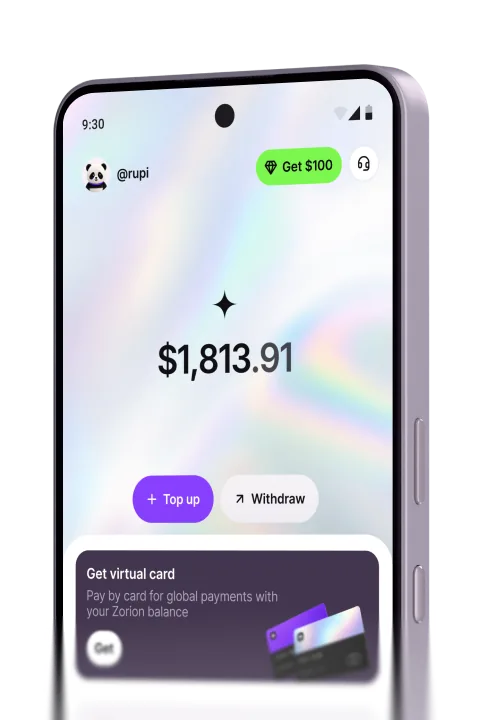
Zorion gives you a network virtual card that PayPal accepts without the international-activation issues that get local cards rejected. Fund the card from cashed-out trading profits, converted USDT, or a regular bank transfer. Then link it to PayPal in minutes — useful whether you’re a freelancer who needs to pay a supplier fast, or someone who just wants to spend trading winnings on a PayPal-only checkout. Anyone can sign up and try it today.
Keep reading
Zorion vs Kast: Is a $1,000+/Year Crypto Card Membership Worth It?
Your balance sits in USD, ready to spend on a virtual card the next time a subscription or an online
Zorion vs Oobit: Do You Need Your Own Crypto Wallet First?
You want to spend it on Netflix or ChatGPT. You search zorion vs oobit because both names keep showing up together. Before
Zorion vs RedotPay: Free Virtual Card or Pay $10-$100 First?
You just cashed out your winnings from a trading platform, converted to USDT, and now you’re looking for a way to spend that balance on international services —…