Guides
How to Fund Binance: Card, Bank Transfer, or Crypto
Before you can trade on Binance, your money has to land in the account first. That sounds simple — until you try it. A card gets declined. A bank transfer takes two days. Or a deposit screen asks for a ”network” you’ve never heard of before you can send anything. This guide walks through how to fund Binance three different ways. It also flags the single mistake that makes a deposit disappear for good.
How to fund Binance: three deposit routes
Binance accepts money through a card, a bank transfer, or a crypto transfer. Each one behaves differently once you actually use it. A card deposit is the fastest option — funds appear in your Binance balance within seconds. But it usually carries a fee between 1.8% and 3%. Cross-border cards get declined often enough that it’s one of the most common complaints on Binance’s own support forums. Bank transfers avoid that fee, sometimes charging nothing at all. The timing depends on whether your bank has a direct relationship with Binance. If it doesn’t, expect anywhere from a few hours to two business days — sometimes longer around weekends. Crypto transfers mean sending coins you already hold, usually USDT, from another wallet straight into your Binance deposit address. Confirmation is close to instant once the blockchain processes it, and the network fee is often under a dollar. The catch: the sending wallet and the receiving address have to sit on the exact same network.
How to fund Binance with a card
Getting declined repeatedly is rarely your bank blocking you on purpose. Binance’s card processor flags a lot of cross-border transactions automatically. A virtual card built for online payments clears that check far more often. A physical card tied to your home country usually doesn’t.
How to fund Binance with a crypto transfer
That third step is where deposits go wrong. TRC-20 transfers cost roughly a dollar in network fees and settle within minutes. ERC-20 transfers of the same coin cost more — anywhere from $2 to $20 or higher. It depends on how busy the Ethereum network is that day. Picking the wrong one isn’t just slower or pricier. Send USDT on ERC-20 to an address that only accepts TRC-20, and in most cases that deposit is gone permanently. Binance support can sometimes recover a mismatched transfer for a manual processing fee. But that only works when the two networks are compatible in the first place. Between chains that aren’t compatible at all, there’s no recovery path, and the funds simply never arrive.
Moving trading winnings into Binance without a bank in the middle
A common situation looks like this: money comes out of a trading platform already converted into USDT. It sits in a separate wallet. The next step is getting it onto Binance, either to trade further or just hold as savings. Routing that through a bank adds friction that doesn’t need to exist. A bank transfer means waiting for it to clear. It might mean explaining the transaction to a compliance team, and hoping the receiving bank even supports Binance’s rails. A card deposit means paying the 1.8-3% fee mentioned earlier. There’s also the chance of a decline if the card isn’t cleared for international payments.
None of that applies once the USDT is already sitting in a wallet. Copy the Binance deposit address, match the network, and send it. Confirmation usually lands before a bank transfer would have even started processing. The only real requirement is getting the network right the first time. There’s no bank in the loop to catch a mistake or reverse it later.
Mistakes that make people lose their deposit
The most expensive mistake is sending on the wrong network. It usually happens because two wallets label the same coin differently. Or because someone copies a deposit address without checking what’s written next to it. A close second is sending funds straight from a trading platform’s payout wallet. That’s risky without first checking whether the wallet even supports the network Binance is asking for. Some payout systems only issue one option, and it may not match. People also lose money by rushing a first-time deposit at full size. It’s worth testing with a small amount first. A $5 test transfer costs almost nothing, and it confirms the route works before sending a larger sum. Another avoidable error is copying an address from a chat message or screenshot rather than the actual Binance deposit screen. Addresses get mistyped or swapped in scams more often than people expect. One wrong character sends funds to a wallet nobody can recover.
Frequently asked questions
Fund Binance directly from Zorion
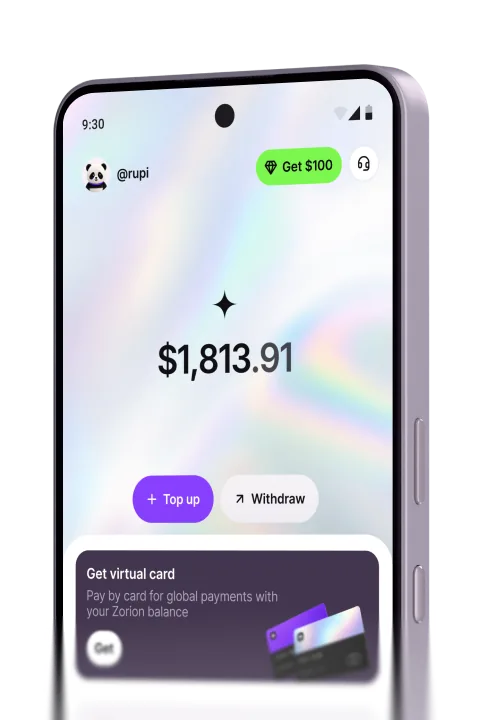
Maybe you’ve already got USDT sitting in Zorion — say, from cashing out trading winnings. You can send it straight to your Binance deposit address and skip the card decline and the bank delay entirely. Zorion runs on the same TRC-20 network Binance uses for its cheapest, fastest USDT deposits. There’s no network mismatch to worry about, as long as you double-check the address first. Prefer a card deposit instead? Zorion’s virtual card is built for exactly the kind of online payments that trip up local debit cards. Anyone can sign up and try it today.
Keep reading
How to Buy USDT: A Beginner’s Guide
USDT (Tether) is the most widely traded stablecoin in the world. Its value tracks the US dollar, so it doesn’t swing wildly like Bitcoin or other coins. People…
How to Receive Money from Abroad
Maybe it’s a sister working in Hong Kong sending money home every payday. Perhaps it’s a client abroad paying an invoice. Or it could be your own savings…

How to Send Money to Malaysia
Maybe you have family who just started working in Malaysia. Or maybe it’s a child in Kuala Lumpur, or a supplier in Johor Bahru to pay. Either way, how to send…